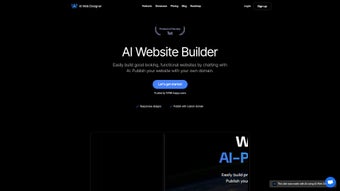

Download AI Web Designer – AI‑powered website builder, free, secure and easy
Overview
AI Web Designer is a cloud‑based, AI‑driven web application that transforms the traditionally complex process of website creation into a fast, intuitive, and largely code‑free experience. Whether you are a small‑business owner looking to launch an online store, a freelancer needing a sleek portfolio, or a hobbyist wanting a personal blog, the platform promises professional‑looking results without requiring you to master HTML, CSS, or JavaScript. By simply providing a few prompts—such as industry type, color preferences, and desired layout—the AI generates a fully responsive design that can be further refined through a drag‑and‑drop canvas.
This dramatically reduces the time and cost associated with hiring a dedicated designer or developer. The system also integrates seamlessly with popular website builders like WordPress, Wix, and Shopify, allowing you to export or publish your finished site with just a few clicks. While AI Web Designer excels at speed, consistency, and accessibility, it does have limitations: highly custom interactions, advanced animations, or niche branding nuances may still require a human touch.
Nevertheless, for the majority of everyday website projects, the tool offers a compelling blend of convenience, affordability, and security, making it a noteworthy addition to the rapidly expanding ecosystem of AI‑enhanced creative tools. Its cloud‑first architecture ensures that you can work from any device, any operating system, and benefit from automatic updates that keep the AI models and UI cutting‑edge without manual patches. In short, AI Web Designer democratizes professional web design, empowering users of all skill levels to bring their ideas to life quickly and confidently.
Key Features & Benefits
- AI‑Driven Design Generation: Input a few basic parameters and let the algorithm produce a complete, mobile‑responsive layout in seconds.
- Drag‑and‑Drop Customizer: Fine‑tune fonts, colors, images, and sections without writing a single line of code.
- Extensive Template Library: Industry‑specific templates for e‑commerce, blogs, portfolios, and corporate sites.
- One‑Click Publishing: Export directly to WordPress, Wix, Shopify, or download a static HTML package ready for any hosting provider.
- AI Content Assistant: Generate SEO‑friendly copy, meta descriptions, and alt‑text for images based on your keyword inputs.
- Secure Cloud Hosting: Encrypted servers with regular backups ensure data safety and version control.
- Automatic SEO Optimization: Built‑in analysis checks page speed, mobile friendliness, and schema markup to improve search rankings.
- Multilingual Support: Create multilingual sites with AI‑powered translation suggestions for over 30 languages.
- Free Tier & Affordable Upgrades: Start with a no‑cost plan that includes basic features, then scale to premium packages for advanced integrations and priority support.
The feature set is deliberately designed to cover the entire lifecycle of a website—from ideation through launch and ongoing optimization. By automating repetitive tasks such as layout selection and copywriting, AI Web Designer frees users to focus on brand strategy and content quality. The integration capabilities mean you are not locked into a single ecosystem; you can switch between platforms or host the generated files on your own server.
For teams, the collaborative workspace allows multiple users to comment, suggest changes, and approve final designs, all within a secure environment. The platform’s built‑in SEO tools further enhance visibility by automatically generating schema markup and optimizing page speed. Overall, the tool balances powerful automation with enough manual control to satisfy both beginners and seasoned marketers who need rapid turnaround without sacrificing professionalism.
Pros
- Rapid design creation—most sites are ready in under 10 minutes.
- No coding knowledge required; intuitive drag‑and‑drop editor.
- Built‑in SEO and content generation tools improve search visibility.
- Seamless integration with major website builders and hosting platforms.
- Secure cloud storage with automatic backups and version control.
- Free tier available; premium plans are competitively priced.
- Responsive design ensures sites look great on all devices.
Cons
- Highly custom animations or complex interactions may need manual coding.
- Template flexibility is strong, but some niche branding elements could be limited.
- Dependence on internet connection; offline editing is not supported.
- Advanced e‑commerce features (like custom checkout flows) may require third‑party plugins.
Installation, Usage & Compatibility
Because AI Web Designer is a web‑based SaaS solution, there is no traditional “installation” process required on your local machine. To get started, simply visit the official website, create a free account, and verify your email address. The onboarding wizard guides you through basic setup, asking for information such as business type, preferred color palette, and target audience. Once completed, you are presented with a dashboard where you can either choose a pre‑made template or let the AI generate a custom design from scratch. The interface, built with modern HTML5 and React, ensures smooth performance across all major browsers.
Step‑by‑Step Usage:
- Log In & Create a Project: Click “New Project,” name it, and select the desired industry.
- Define Design Parameters: Choose style cues (minimalist, bold, corporate), upload a logo, and specify primary colors.
- AI Generation: Press “Generate,” and within seconds the AI presents a full‑page mockup with navigation, hero section, and content blocks.
- Customize: Use the drag‑and‑drop canvas to move sections, replace images from the built‑in stock library, or edit text directly.
- SEO & Content Review: Run the AI content assistant to fine‑tune headings, meta tags, and alt attributes.
- Publish or Export: Choose “Publish to WordPress,” “Export as ZIP,” or “Deploy to Shopify” based on your preferred platform.
The platform’s compatibility spans the most common operating systems and devices. Since everything runs in the cloud, you can access AI Web Designer from Windows 10/11, macOS 12+, Linux browsers, as well as iOS 14+ and Android 9+ tablets and smartphones. The responsive design of the editor itself adapts to different screen sizes, allowing on‑the‑go edits from a phone or tablet without losing functionality.
For desktop‑only workflows, the web app is fully optimized for Chrome, Edge, Firefox, and Safari, delivering fast load times thanks to CDN caching and progressive web app (PWA) features. Security is enforced through HTTPS encryption, two‑factor authentication, and regular security audits, ensuring that user data remains protected at all times. Updates to AI models and UI are rolled out automatically, so you always benefit from the latest improvements without manual patches.
Conclusion, FAQ & Call to Action
In a digital landscape where speed, cost, and accessibility are paramount, AI Web Designer stands out as a practical solution that democratizes website creation. By combining an intuitive interface with powerful AI algorithms, the tool reduces the barrier to entry for non‑technical users while still offering enough flexibility for seasoned marketers. Its ability to generate SEO‑optimized copy, integrate with major platforms, and export clean code ensures you’re not locked into a single ecosystem, giving you the freedom to grow your online presence on your terms.
While it may not replace a seasoned designer for ultra‑custom or highly interactive projects, the trade‑off in time and budget savings is compelling for the majority of everyday websites. If you’re ready to build a professional site without learning to code, the free tier provides a risk‑free way to test the platform’s capabilities. For businesses that need advanced features, premium plans are competitively priced and include priority support, ensuring you stay ahead of updates and security patches.
Take the next step today: Click the button below to download AI Web Designer, create your first project, and experience how AI can transform your web design workflow. Whether you’re launching a personal blog, an e‑commerce store, or a corporate landing page, AI Web Designer gives you the tools to build, optimize, and publish with confidence.
Get Started for FreeFrequently Asked Questions
Is AI Web Designer really free to use?
Yes, there is a free tier that includes core design generation, basic templates, and limited publishing options. Premium plans unlock advanced integrations, higher export limits, and priority support.
Can I export my site to host it on my own server?
Absolutely. The platform allows you to download a complete static HTML, CSS, and JavaScript package, which you can upload to any hosting provider or integrate into a custom backend.
How does the AI generate SEO‑friendly content?
The AI content assistant analyzes your keywords, industry, and target audience, then produces meta titles, descriptions, headings, and body copy that follow best‑practice SEO guidelines. You can edit the suggestions before publishing.
Is my data safe on the AI Web Designer platform?
Yes. All data is stored on encrypted servers with HTTPS, two‑factor authentication, and daily backups. The company complies with GDPR and other major privacy regulations.
Do I need any special hardware to run AI Web Designer?
No special hardware is required. The application runs in any modern web browser on Windows, macOS, Linux, iOS, or Android devices.
AI Web Designer delivers a surprisingly robust set of tools for anyone looking to launch a website quickly. The AI‑driven design generation is the star feature, producing clean, responsive layouts with minimal effort. While power users may miss some deep‑customization options, the platform’s ease of use, built‑in SEO assistant, and seamless publishing options make it a strong contender for small businesses and freelancers. Overall, it scores high on convenience, affordability, and security, earning a solid 4.5‑star rating.



.png)



